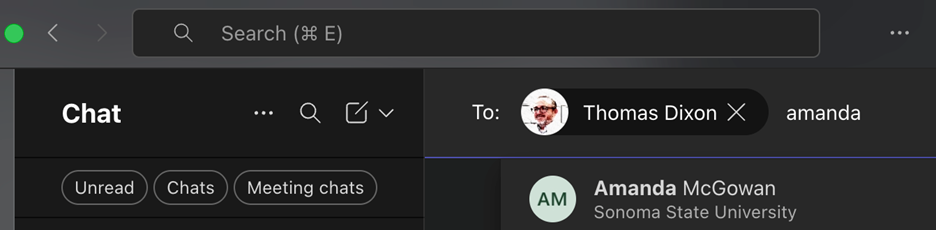
How to find users from each CSU's faculty/staff directory, retrieve their email addresses, and send a message on Microsoft Teams.
Find SFBRN Collaborators
How to look up contact information for SFBRN team members at each campus below
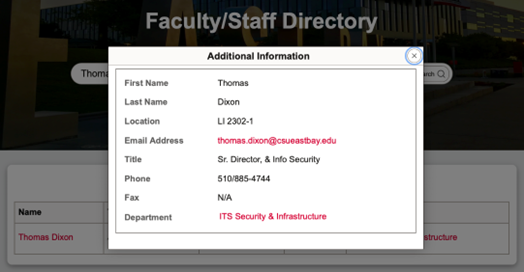
Find a Cal State East Bay email contact:
- Head to the Faculty/Staff Directory
- Type in the user you want to find and then select "Search"
- Search results will list out; click on user's Name and a window will pop up with more information, including email addresses
- Alternatively, you can click on "Advance Search" under the Search Bar, scroll through a "Department" to find multiple users under one department and click on their name to get their email address
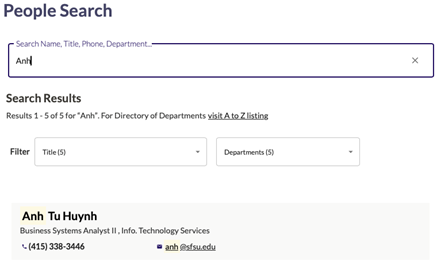
- Head to the Faculty/Staff Directory
- Type in the user or department name you want to find; results will auto-populate
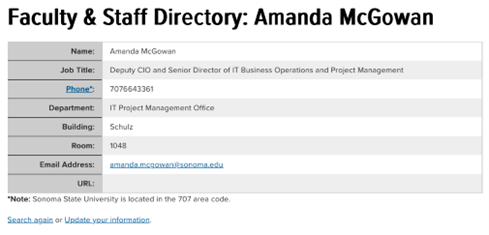
- Head to the Faculty/Staff Directory
- Fill in user's information as needed or select department from drop-down menu > click "Find"
- Results will show; click on user's Name and window will pop up with more information, including email
Send a message on Microsoft Teams
- In the left panel, click on the "New Message" icon to compose
- Type in your desired user's email address; results should populate
- Say some nice things
- Additionally, you can add multiple users from different campuses in one message